A blog by J. Weyh
So in reality I'm writing this post on the 1st of April - does that count as "April fools!"? Anyhow, I'm not gonna pretend it's March 31, so when I say "yesterday", I'm referring to March 31. Not that anybody is going to care if they ever read that...
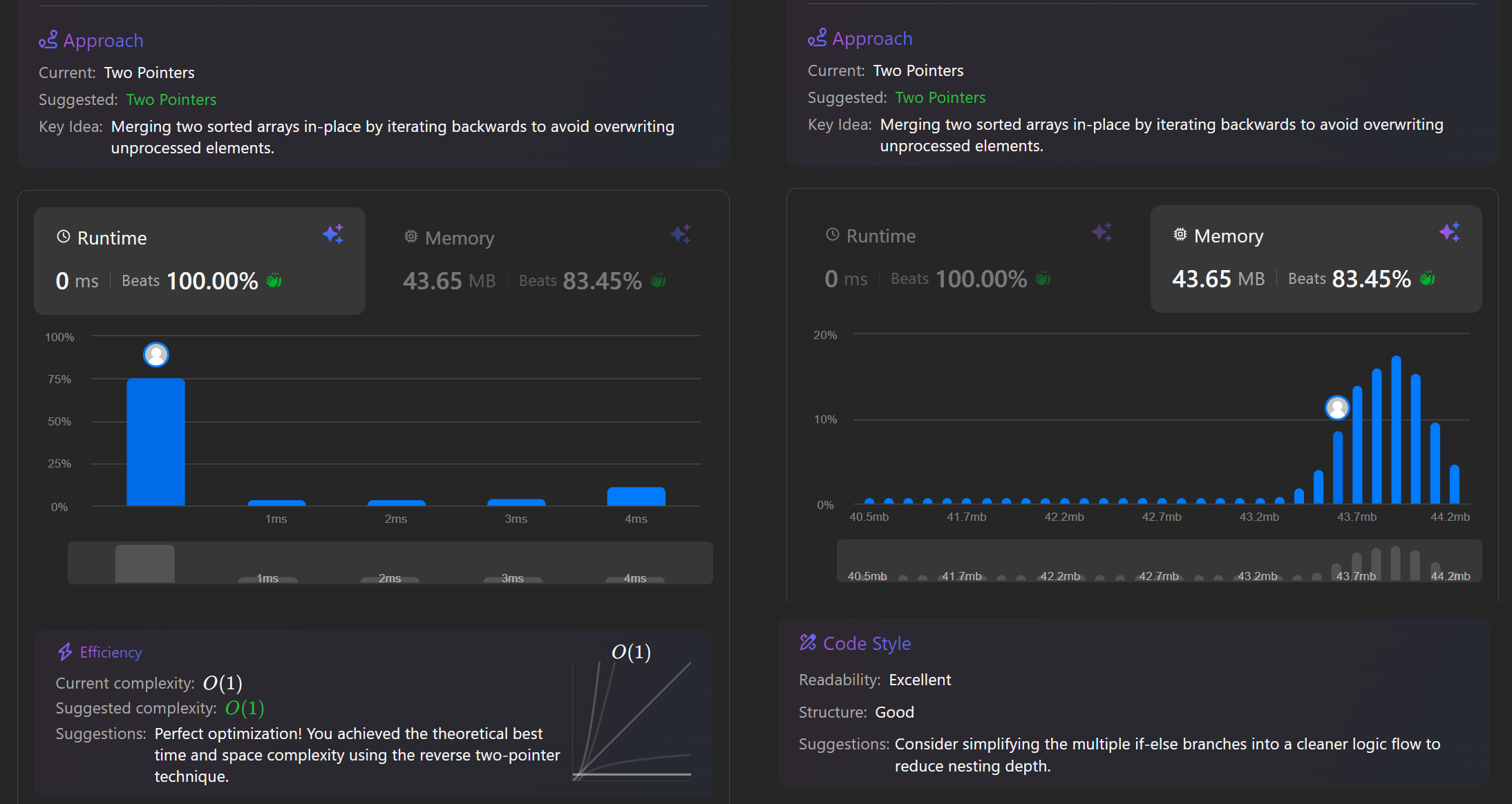
So, yesterday I started my day by going back to working on my LeetCode problem. Before falling asleep the night before, I had a couple of new ideas, so the next morning I could not wait trying to implement them! And lo and behold - after a bit of back and forth in IntelliJ, the array was finally being sorted correctly! When I ran the code on LC and passed the 3 entry tests, I did not expect to pass all 57 tests when submitting - but I did. And not only that, but I even managed to find a pretty good solution:
As the screenshot shows, the solution was good in terms of runtime and memory usage. I felt pretty good about myself!
Afterwards, I moved on to Spring Boot. There, I finished writing the endpoints of the API (PUT and DELETE were still missing). The tutorial then advised to include dependencies to a) validate the incoming data from POST-requests and b) connect the whole thing to an in-memory H2 Database (before ultimately moving on to a "real" database).
But whatever I tried, I could not for the life of me include the validation-dependency in Maven's pom.xml - it just never recognized the source. Since I'm on a "no AI for coding stuff"-mission, I went the oldschool way and read a few posts on StackOverflow, where someone suggested deleting the .idea directory in the IntelliJ project may work. And in the light of positivity I'm gonna say this in a positive way: I learnt
1. never to follow advice like "delete xyz" blindly, and
2. using Git even for smaller, private projects may be a good idea in the future
... because I ended up having to re-do my entire project.
So I set up a new Spring Boot project and this time selected the validation-dependency as starting dependency in the Spring Initializer tool, and this time it worked! After adding a couple of restraints on the content of a POST-request, I moved on to the H2 database.
Or rather, I tried moving there. Because again, I didn't get it work. This time, the pom.xml would accept the dependency, but when running the project, the H2 database would not be loaded. Enabling the database
in the projects properties file didn't help either. After some research, I found an article that explained that the newest version of Spring (4.x) boots up with a different web-dependency then the older
versions (3.x or older) did. When creating a new project in the Spring Initializer and adding the web-dependency, the dependency spring-boot-starter.webmvc is generated - but all older versions generate
spring-boot-starter-web. And as it turns out, this is a known compatibility issue in Spring 4.x - and the "best" solution is to use older versions of Spring Boot until the issue is resolved and
the 4.x versions are compatible with all modules.
I assume this is just a normal issue to run into when working with big frameworks; even more so when multiple frameworks and tools work hand in hand, so I guess I don't have to feel bad about this. After all, the tutorial is a bit older and does use Spring Boot 3.x, and I created my project with Spring Boot 4.x.
So I ended up creating a new project for the second time that day, and once everything was set up, localhost:8080/h2-database led me straight to my new in-memory database - exciting!
Next, the tutorial is going to walk me through how to make my code talk to the database, and I'm very excited for that. However, I'm even more excited for when we connect the project to an external database after! That's when I expect a lot of troubles to arise, since I will not be using the database as shown as in the tutorial, but rather the one Opa is kind enough to let me use - therefore I expect to struggle with transferring the tutorial's steps to my own database context. But before that, I'll have fun setting up the H2 database.